

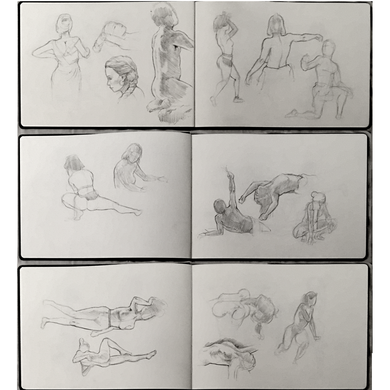
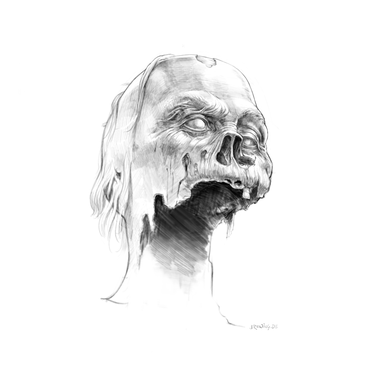
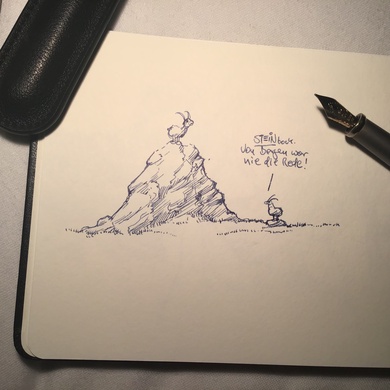
10. October 2011 - 20:54 h

Helpdesk

Helpdesk
Tell a friend!   Write a comment»
22. September 2011 - 23:07 h

Wool Domination

Visualise!

Perhaps synthetics will do ...

Tell a friend!   Write a comment»
18. September 2011 - 18:54 h

Words Often Come Too Easy …

Visualise!

Designer Trap Nr.1: Verbalisation

Tell a friend!   3 comments »
17. September 2011 - 22:50 h

Broader Strokes

broader strokes

broader strokes

Tell a friend!   Write a comment»
17. September 2011 - 15:04 h

Compositing The Geeky Way with ImageMagick & FFmpeg

The Task:
We have several videos which need to be cropped. Plus there needs to be a logo shown in the lower left corner.

The Constraints:
Since the need for video editing / compositing occurs about once in a decade, it’s economically inappropriate to buy editing software for this simple task – and outsourcing the job would have taken too much time.

The Solution:

  1. Installation of FFmpeg and ImageMagick inside an Ubuntu VM (using Parallels under MacOS X).
  2. Looking up the required arguments, switches etc. to chop the existing videofile into a sequence of PNG files using FFmpeg.
  3. Mounting the MacOS X Folder containing the videos via sshfs inside the Ubuntu VM (somehow the penguin still appeals to me).
  4. Scaling and cropping the PNGs to fit the new height and width via ImageMagick.
  5. Composing a PNG containing the logos over each single PNG of the image sequence (via ImageMagick).
  6. Turning the final PNG sequence into an flv using FFmpeg.
  7. Looking at the whole process and realising that I gained several geekness levels ;-)

The Code:

#!/usr/bin/perl
use strict;
use warnings;

# getting the commandline arguments
# (ok, not really userfriendly - what should I say?
# I had to be fast ... ).

my $src_video = $ARGV[0];
my $logo_png = $ARGV[1];
my $src_sequence_dir = $ARGV[2];
my $resized_sequence_dir = $ARGV[3];
my $cropped_sequence_dir = $ARGV[4];
my $composed_sequence_dir = $ARGV[5];
my $dest_video = $ARGV[6];

#splitting up the source video:
`ffmpeg -i $src_video -r 19 -s 704x368 -f image2 \
  $src_sequence_dir/frame_%05d.png`;

# processing the pngs:
while(<$src_sequence_dir/*>){
	my $filename = (split("/",$_))[-1];

	# resize images:
	`convert -resize 689x360 $src_sequence_dir/$filename \
             $resized_sequence_dir/$filename`;	

	# crop images:
	`convert -gravity Center -crop 640x360-0+0 +repage \
             $resized_sequence_dir/$filename \
             $cropped_sequence_dir/$filename`;

	# compose images
	`composite -compose atop -gravity SouthWest \
             $logo_png $resized_sequence_dir/$filename \
             $composed_sequence_dir/$filename`;	

    # yes, this could have been done with more style,
    # but I wanted the results of every step of the
    # imageprocessing in a separate directory.
}

#putting the png sequence together again:
`ffmpeg -f image2 -b 2400kb -r 19 -i \
    $composed_sequence_dir/frame_%05d.png $dest_video`;

# yes, this could have also been done with a shell script ...
Tell a friend!   Write a comment»
10. September 2011 - 13:26 h

Berlin Baby Food

Berlin Baby Food
Tell a friend!   3 comments »
8. September 2011 - 22:03 h

Gullivers Sister

Gullivers Sister
Tell a friend!   Write a comment»
5. September 2011 - 22:15 h

Sketches

Sketches
Tell a friend!   Write a comment»
1. September 2011 - 22:29 h

Romance

Romance

Romance

Tell a friend!   Write a comment»
28. August 2011 - 18:47 h

Mental Models – Truth & Fiction

Mental Models

Truth & Fiction

Tell a friend!   Write a comment»

« older posts